
Accounting & Bookkeeping Operations
Close the books faster, reconcile with confidence, and automate routine accounting inside the platform that already runs your business. Replace tool stitching and imported data with one connected workspace.
No new logins. No exports. One source of truth.
Bank-Level Clarity
See every transaction, account, and balance in one place - from bank register views to posted transactions.
Faster Month-End
Automate categorization with Banking Rules and convert invoices, payments, and expenses into ledger entries automatically.
Accurate to the Penny
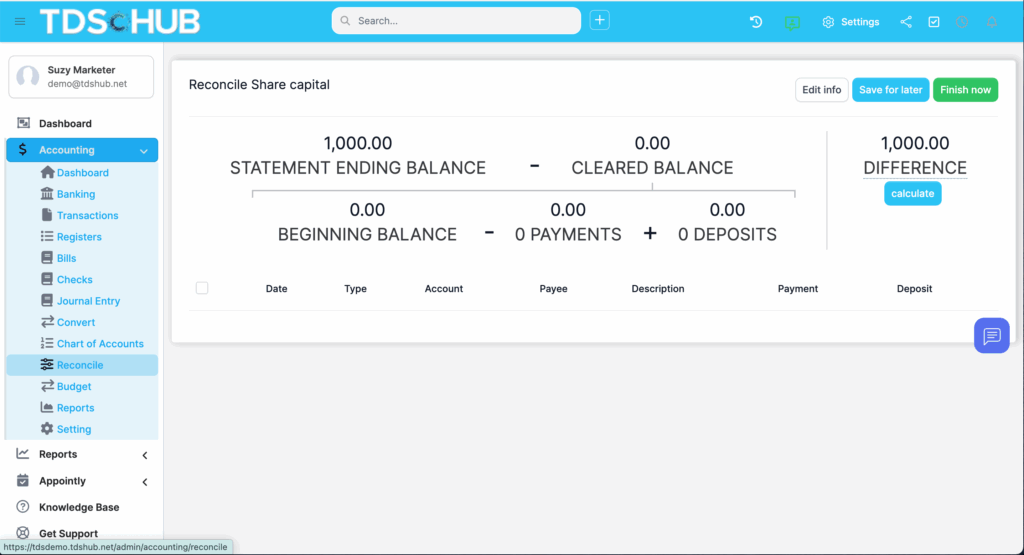
Guided reconciliations ensure selected transactions match statements exactly - difference $0.00.
Built for Teams
Role-based access for bookkeepers, controllers, and founders. (Use your system's permission settings.)
TRUDRIVESYNC
Features
TruDriveSync’s Accounting & Bookkeeping brings double-entry bookkeeping, reconciliation, and reporting right into your daily operations - no more hopping between apps or exporting spreadsheets. Connect bank data, map transactions to your chart of accounts, post journals, transfer between accounts, and generate the reports you need - all in one flow.
Key Capabilities
Banking
-
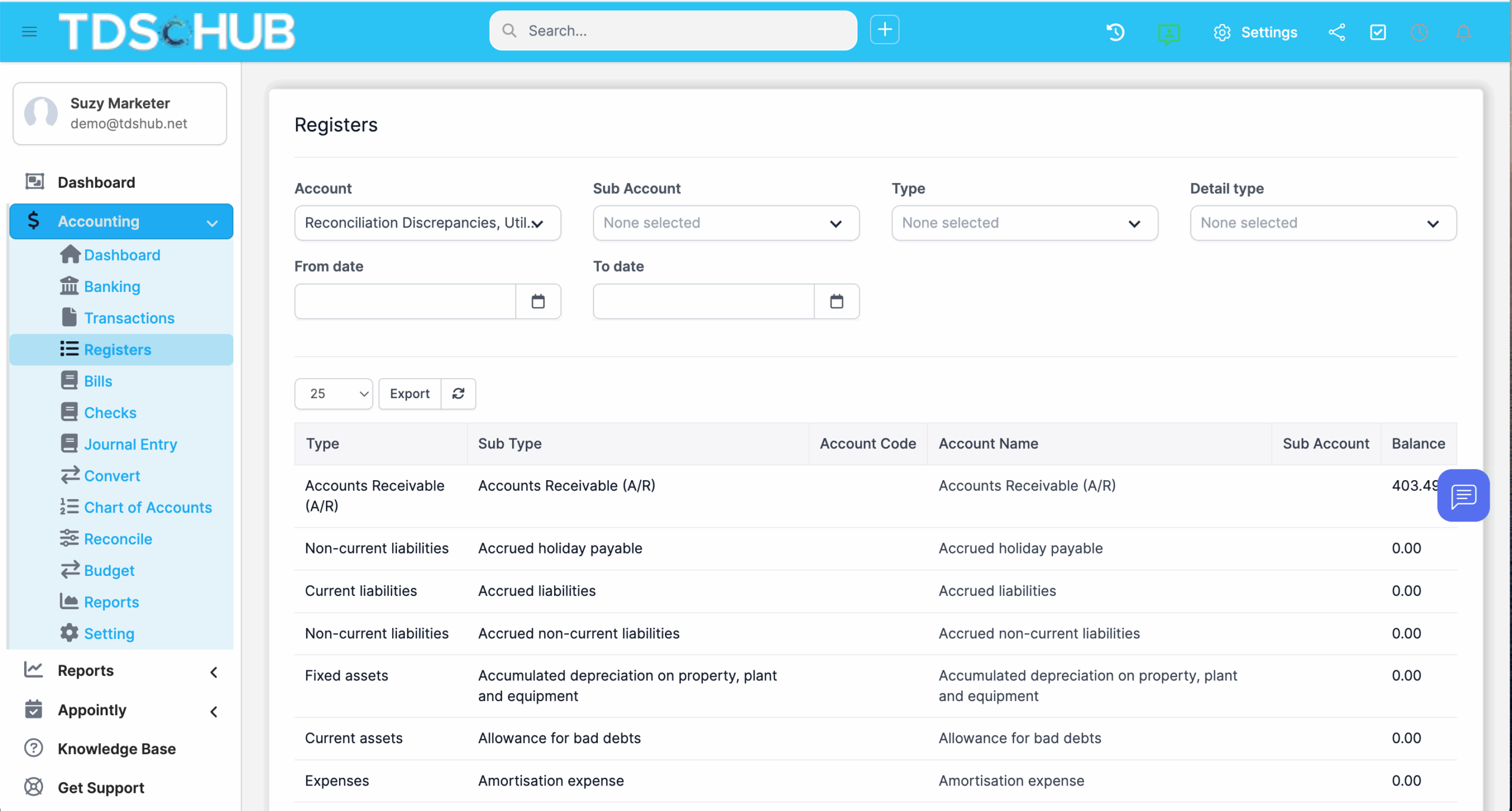
Banking Register: Filter by account, view all ledger-level activity at a glance.
-
Posted Bank Transactions: Review imported/connected bank data and keep it in sync.
-
Connect or Import: Link via Plaid for secure bank connectivity or import CSV/Excel when needed.
Transaction Mapping
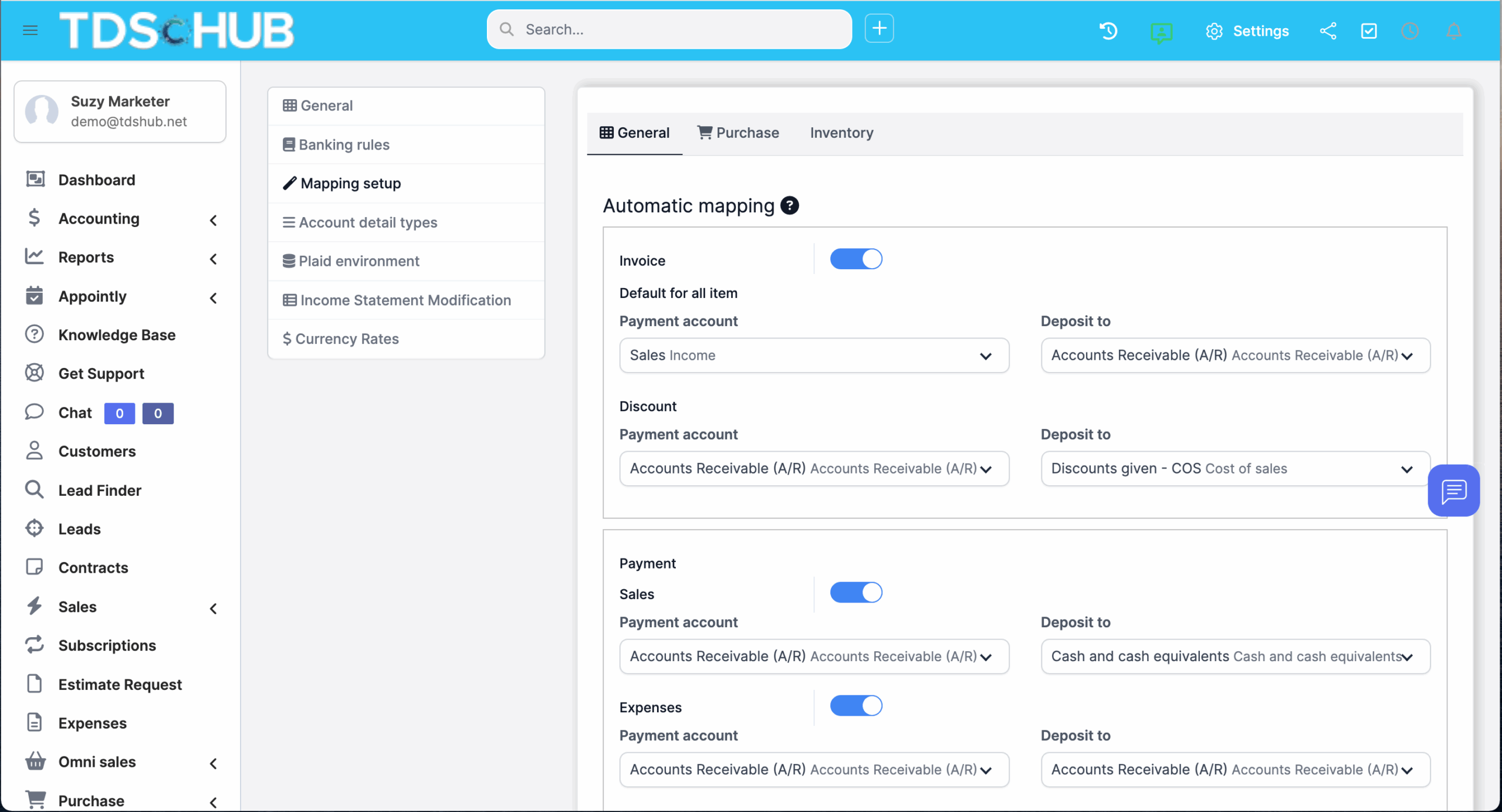
Centralize all system transactions, then convert/map them to the right accounts with bulk actions to speed through backlogs.
Journal Entries
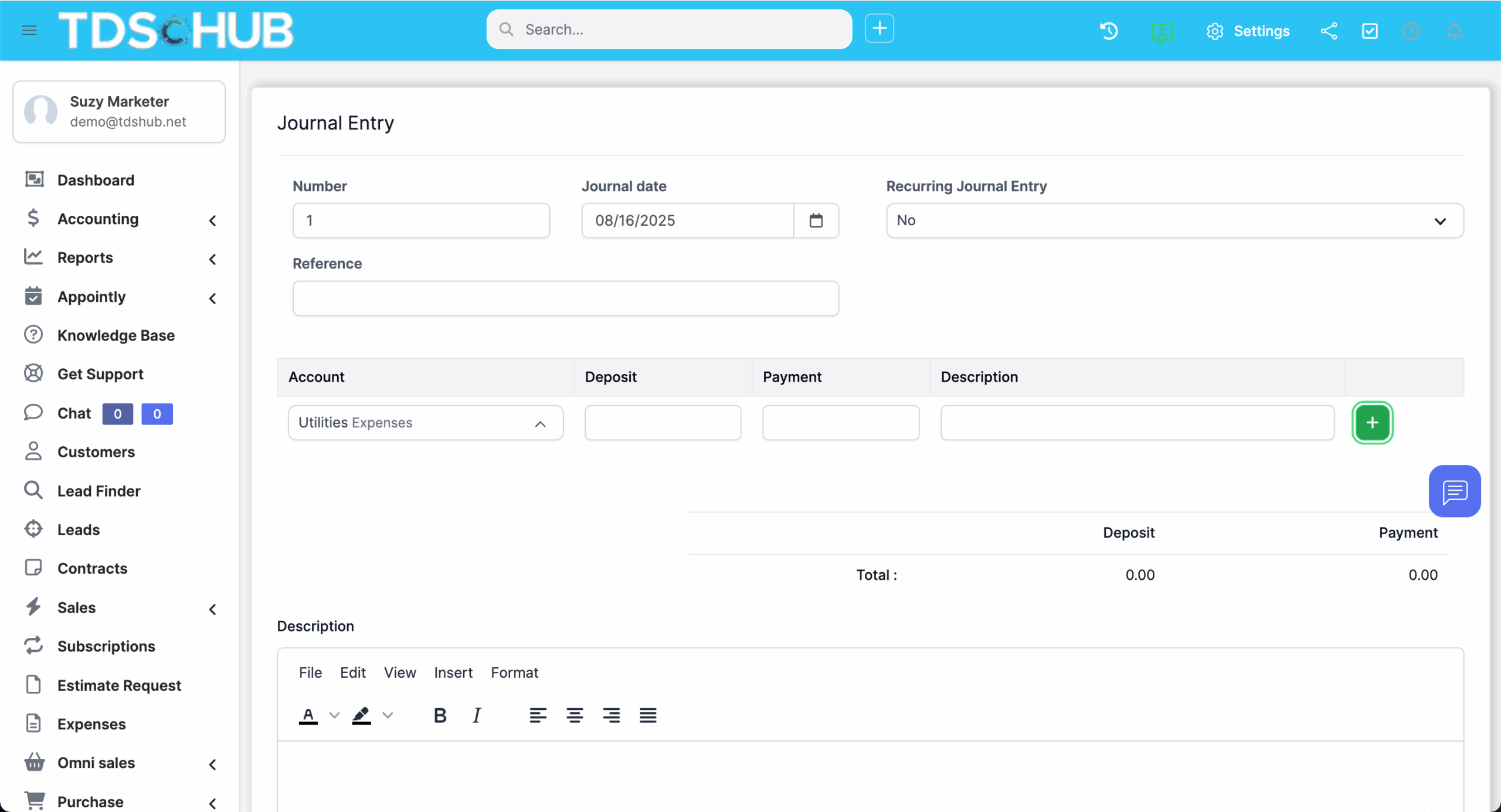
Create, post, and list journal entries - with required debits = credits validation baked in.
Transfers
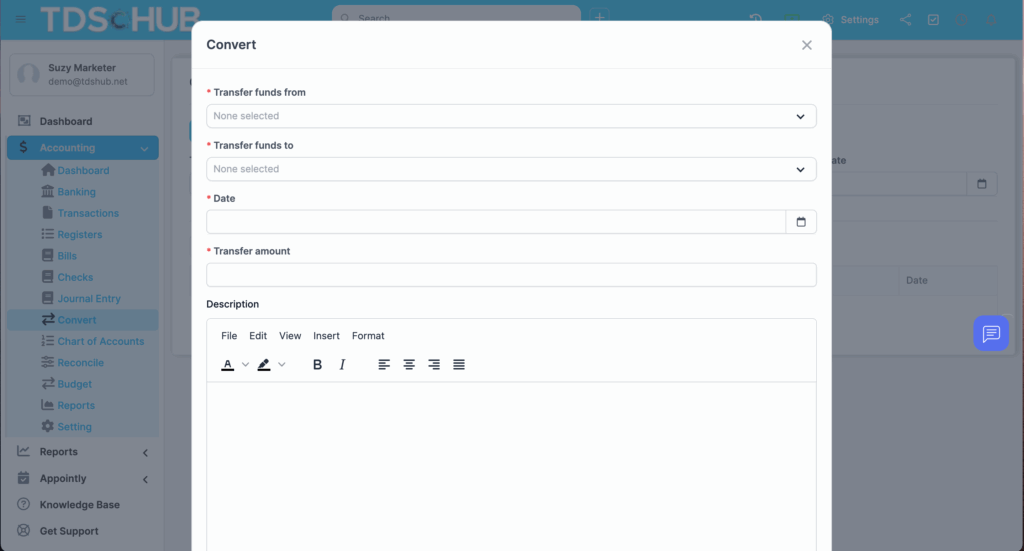
Move funds between accounts with proper ledger impact and a clean audit trail.
Chart of Accounts
Build and edit your Chart of Accounts to match your business model.
Reconciliation
Start, pause, and resume reconciliations. Finish only when your statement difference is 0.00, or save progress to resolve later.
Reporting
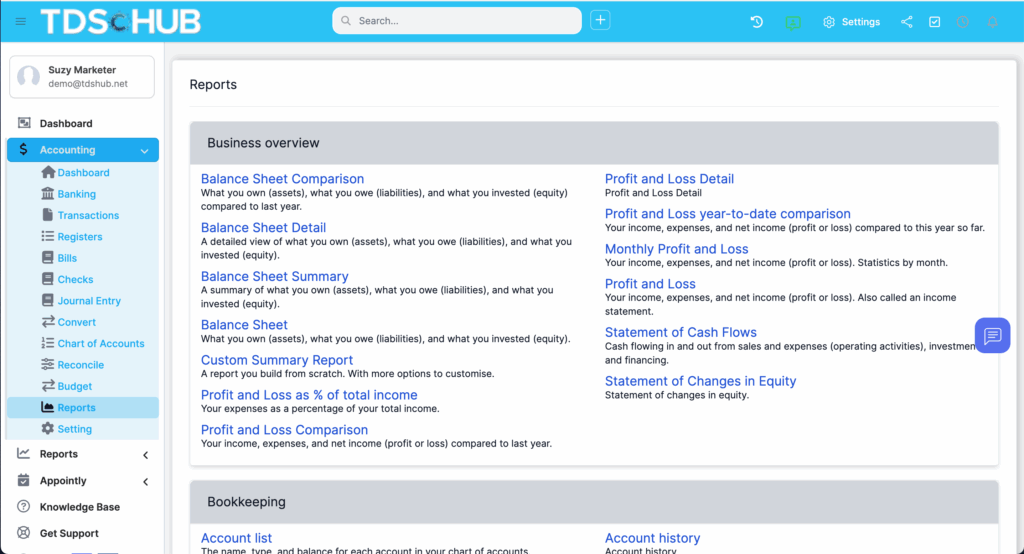
Access a central Reports area for financial visibility.
Smart Automation
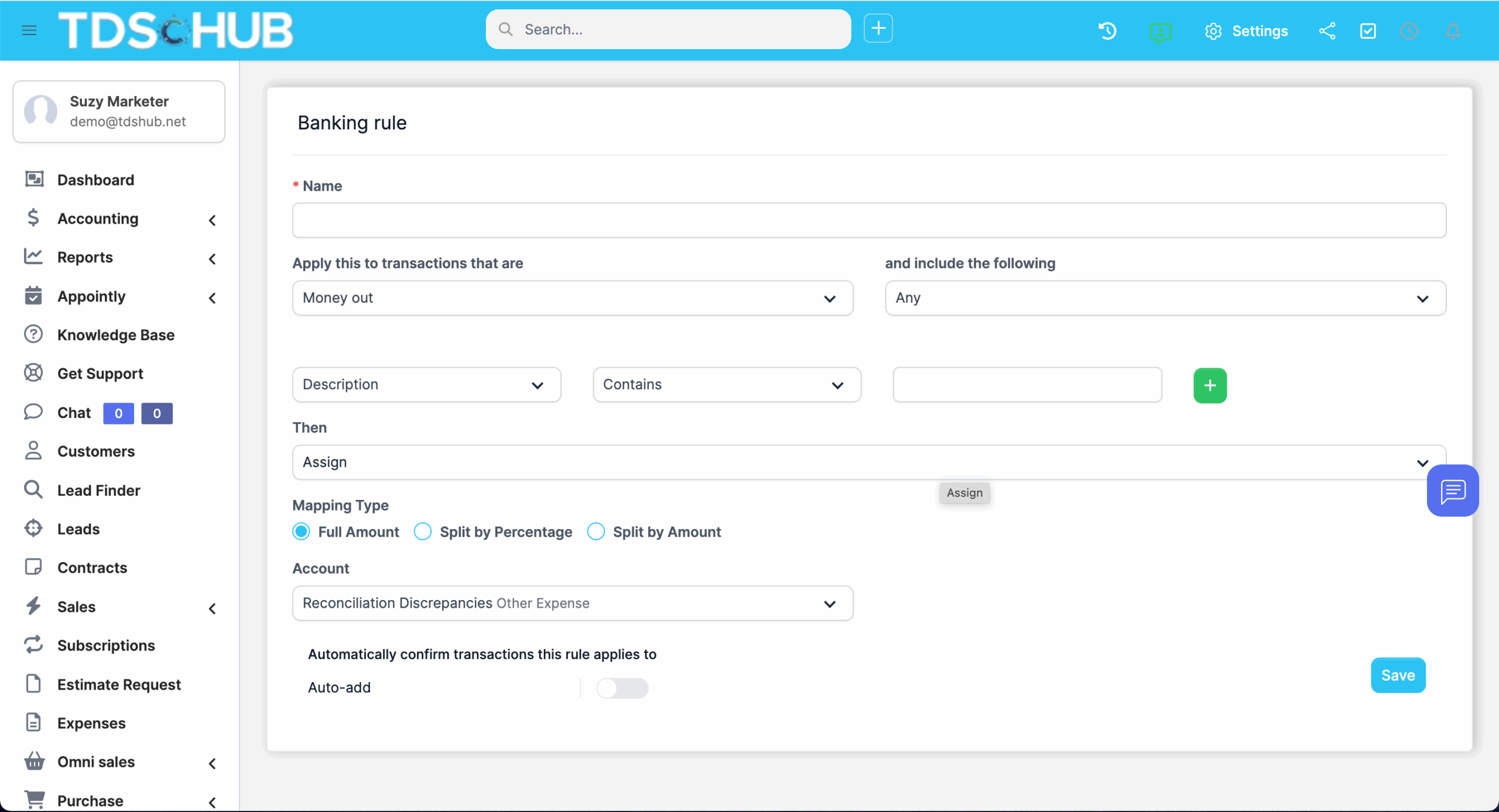
Banking Rules: Auto-categorize incoming bank lines based on your conditions.
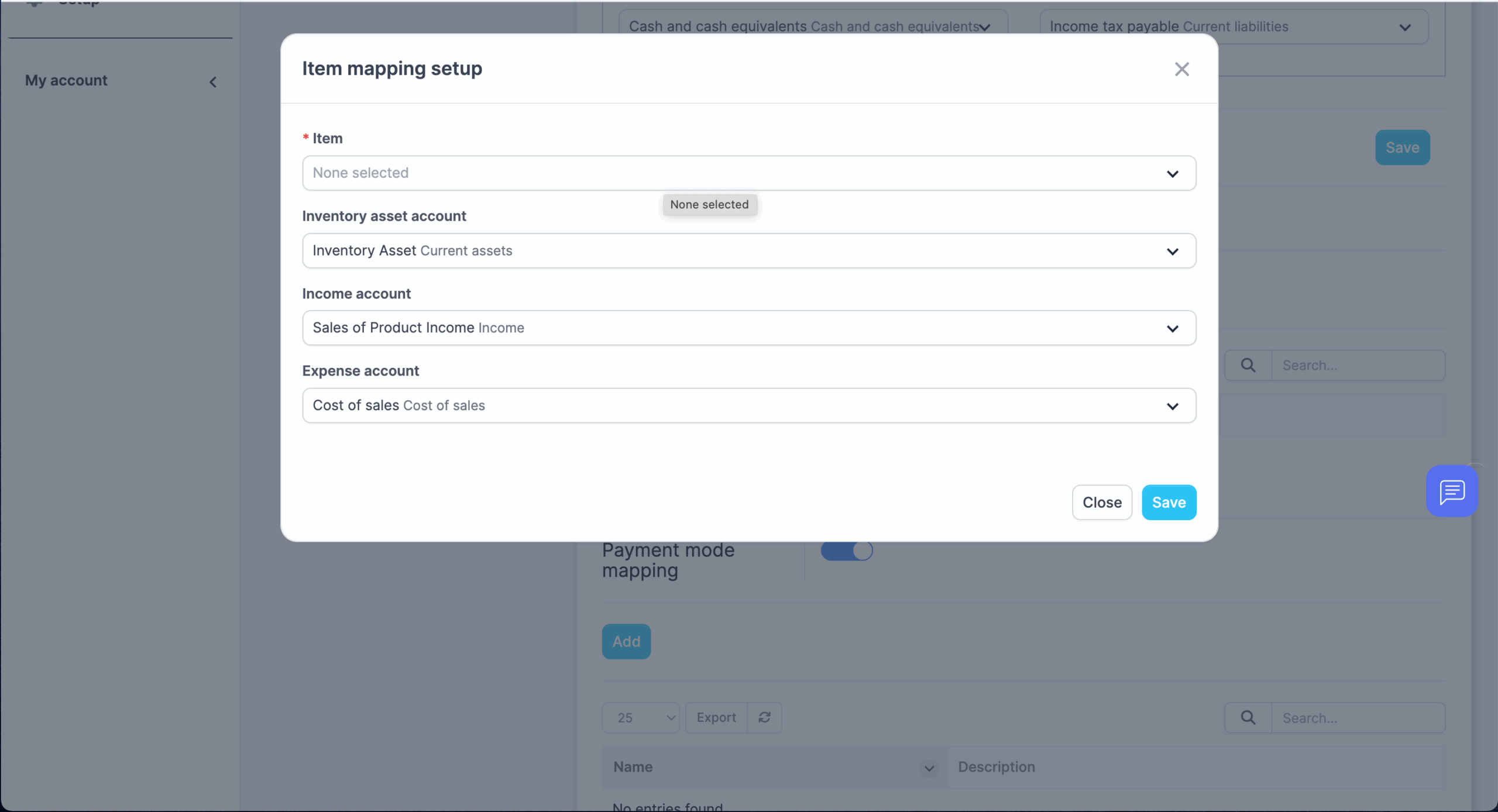
Automatic Conversion: Turn invoices, payments, and expenses into ledger entries automatically to eliminate repetitive work.
5 STEPS TO SUCCESS
How It Works
Connect your bank or import a file
Use Plaid for secure connections, or upload a CSV/Excel from your bank.
Confirm your Chart of Accounts
Add or edit accounts so posting is accurate from day one.
Set Banking Rules & Automatic Conversion
Define conditions and mappings once — let TruDriveSync handle the routine categorization thereafter.
Map and post transactions
Review transactions, apply bulk actions, post journals, and transfer funds where needed.
Reconcile & report
Match transactions to your statement until the difference is $0.00 and run period-end reports.
FREE 14-DAY TRIAL
Simplify Your Accounting & Bookkeeping Today
Streamline your banking, accounts, and reconciliation with advanced reporting, ready for presentations and financial statements.
WHO WE HAD IN MIND
Designed For:
- Founders & Operators: A simplified month-end without leaving TruDriveSync.
- Finance Managers: Rules and automation to reduce manual work and errors.
- Bookkeepers & CPAs: Proper journals, transfers, reconciliation, and reporting – no duct tape.
WHO WE HAD IN MIND
Why Teams Switch from Standalone Tools
One login, one dataset: Sales, projects, purchases, inventory, and accounting in the same system.
Real-time context: Drill from reports into the underlying customer, project, invoice, or expense.
Less duplicate work: Automatic conversion of operational data into ledger entries saves hours each week.
Security & Controls
Bank connections via Plaid with tokenized access (no credentials stored in TruDriveSync).
Role-based access controls and auditability for sensitive actions (reconciliations, journals, transfers).
What You Can Replace
Basic bookkeeping tools used only for bank feeds and reconciliations
Manual CSV juggling between ops, CRM, and accounting
Ad-hoc spreadsheets for transfers and journals
FAQs
Yes - choose the account you want to view or reconcile and work from there.
No. You can import bank transactions manually via CSV/Excel any time.
Journal entries require balanced amounts before they can be saved.
Mark statement lines against posted transactions until your difference is 0.00; save progress and resume anytime.
Yes - use Banking Rules plus Automatic Conversion for invoices, payments, and expenses.