Appointments & Scheduling
for TruDriveSync

Let prospects and clients book time with your team without the back-and-forth. Offer web booking, send confirmations and reminders, and sync to Google or Outlook - all inside TruDriveSync.

Web Bookings • Calendar Sync • Email/SMS Reminders • Team Availability

Frictionless self-booking

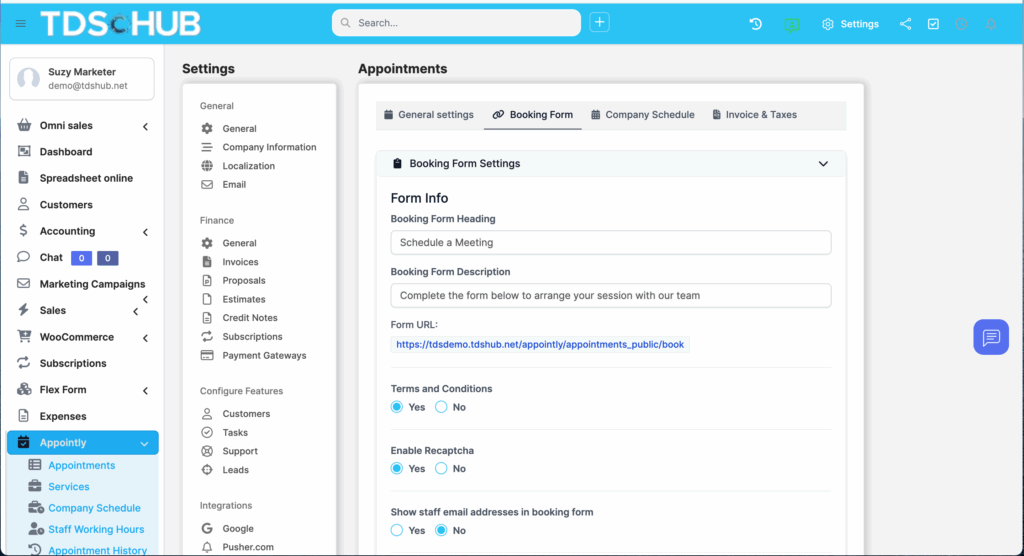
Embed a branded booking form on your site or share a link so clients can choose a time that works.

BOOKING

Always on the right calendar

Add appointments to each staff member’s Google or Outlook calendar and respect busy times.

CALENDAR SYNC

Show up prepared

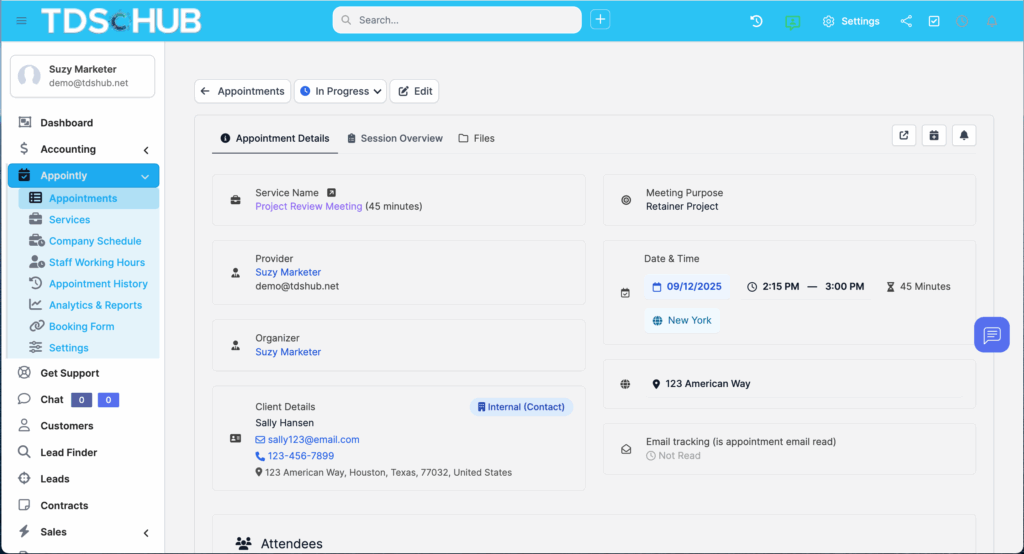
Capture appointment type, notes, and custom fields so everyone knows the purpose and next step.

No Guess-Work

No-show reduction, built-in

Automatic email/SMS confirmations and reminders keep attendance high.

Automation

TRY OUR PLATFORM

What This Module Does

TruDriveSync Appointments centralizes scheduling, confirmations, reminders, and follow-ups in the same workspace where your sales, projects, and support live. Publish an external booking form, accept requests from contacts or leads, add internal attendees, and keep every event synced with staff calendars - complete with statuses, notes, and audit trails.

Key Capabilities

Calendar Connections

  • Google Calendar: Push new/updated/cancelled appointments to staff calendars; surface Google busy times while booking.

  • Outlook Calendar: Connect staff accounts and write events directly to Outlook.

Booking & Forms

  • Website embed / public link: Add a responsive booking iFrame to any page or share a link.

  • External & internal booking: Accept requests from leads/contacts or book internally on their behalf.

Attendees & Types

  • Multiple staff attendees per meeting; assign roles and see color-coded calendar events.

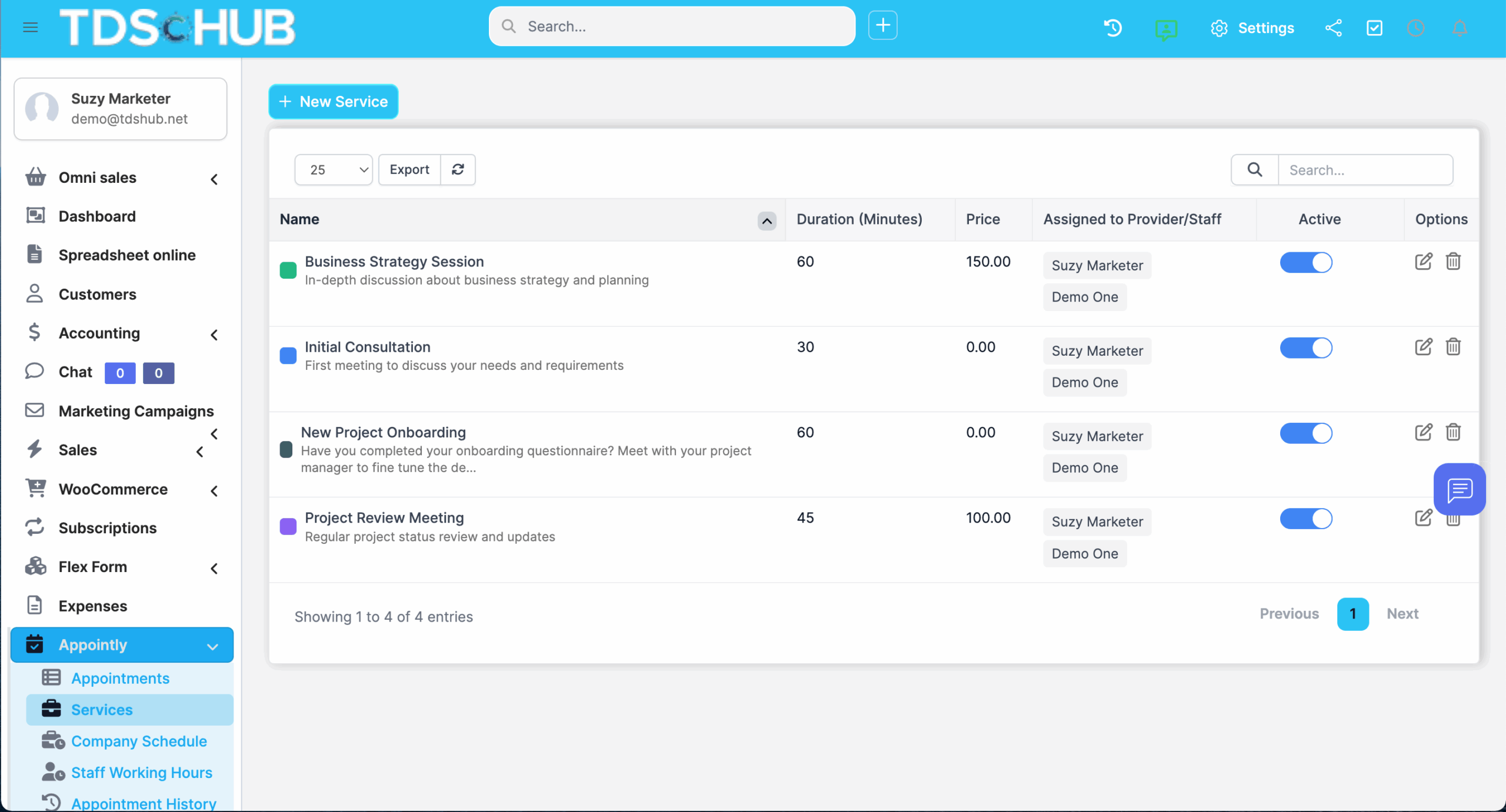
  • Appointment Types to standardize purpose, duration, and prep.

Notifications & Reminders

  • Email & SMS on creation, approval, updates, and reminders - with templates and merge fields.

  • Early reminders and status workflows (pending, approved, cancelled, confirmed, upcoming, missed).

Availability & Busy Hours

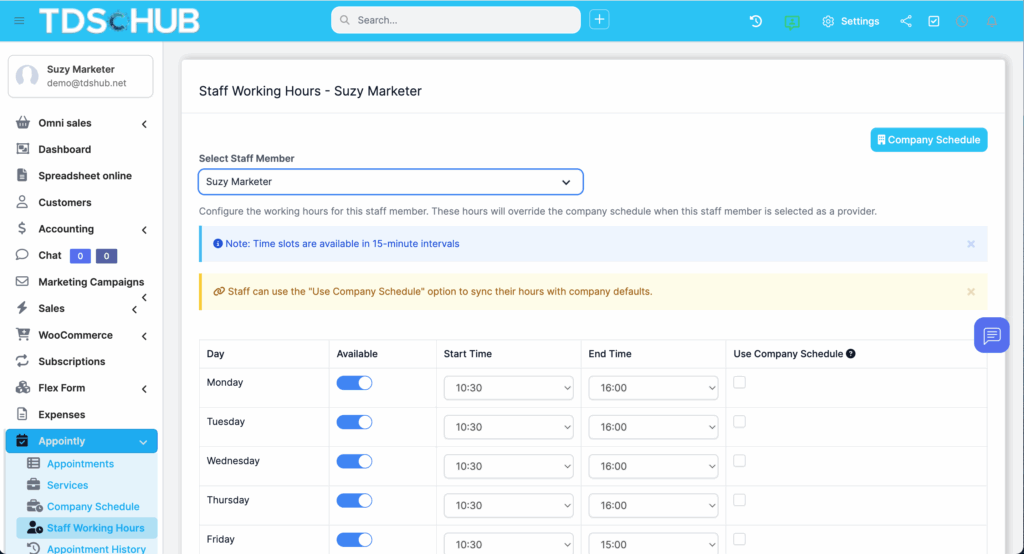
Busy hour & date indicators to avoid conflicts; optional weekend/ buffer controls.

Team Productivity

Convert to Task or Lead, add meeting notes, and log access/activity - everything stays linked.

5 STEPS TO SUCCESS

How It Works

Publish your booking form

Embed on your site or share a public link/QR.

Set availability & types

Pick appointment types and configure working hours, buffers, and weekend rules.

Connect team calendars

Staff connect Google or Outlook so booked times appear instantly.

Automate Comms

Enable email/SMS confirmations and reminders with your templates.

Convert & follow through

Turn meetings into tasks or leads, capture notes, and move work forward.

FREE 14-DAY TRIAL

Simplify Your Scheduling & Booking Today

Rolling off a standalone scheduler? Migrate your key appointment types, templates, and links into TruDriveSync.

WHO WE HAD IN MIND

Designed For:

  • Sales & SDR teams: Faster first meetings, fewer no-shows.

  • Account & Success: Scheduled QBRs, onboardings, and reviews with the right attendees.

  • Service & Field Ops: Route estimates/visits and keep the team calendar accurate.

  • Recruiting: Candidate interviews with calendar sync and reminders.

WHO WE HAD IN MIND

Why Teams Switch from Standalone Tools

  • One platform, one record: Appointments tie directly to leads, contacts, projects, and tickets.

  • Less admin: Templates, types, and automation handle confirmations and follow-ups.

  • Cleaner calendars: Busy-hour indicators and direct Google/Outlook sync reduce conflicts.

Security & Controls

  • Role-based permissions for view/edit/delete and per-user default filters.

  • Audit logs & access tracking for scheduling activity.

  • Anti-spam options (e.g., reCAPTCHA) on public booking forms.

What You Can Replace

  • Separate booking apps that don’t talk to your CRM

  • Manual reminder emails and ad-hoc SMS messages

  • Calendar juggling and double-booking headaches

FAQs

Yes. You can allow bookings from customers whether they’re logged in or not.

Yes - staff can connect Google Calendar and Outlook Calendar so events write to their calendars and honor busy times.

Absolutely. Use templates for confirmations, reminders, approvals, cancellations, and more.

Yes - add several staff attendees to a single appointment.

Yes - convert an appointment into a task or a lead (and relate it to projects, invoices, etc.).